
SlotRave Casino App
SlotRave Casino does not offer a traditional native app through Google Play or the Apple App Store. Instead, the platform runs on a Progressive Web App (PWA) — a modern technology that installs directly from your browser and behaves exactly like a native application. You get the same icon on your home screen, push notifications, offline caching, and full-screen gameplay without the browser address bar cluttering your view.
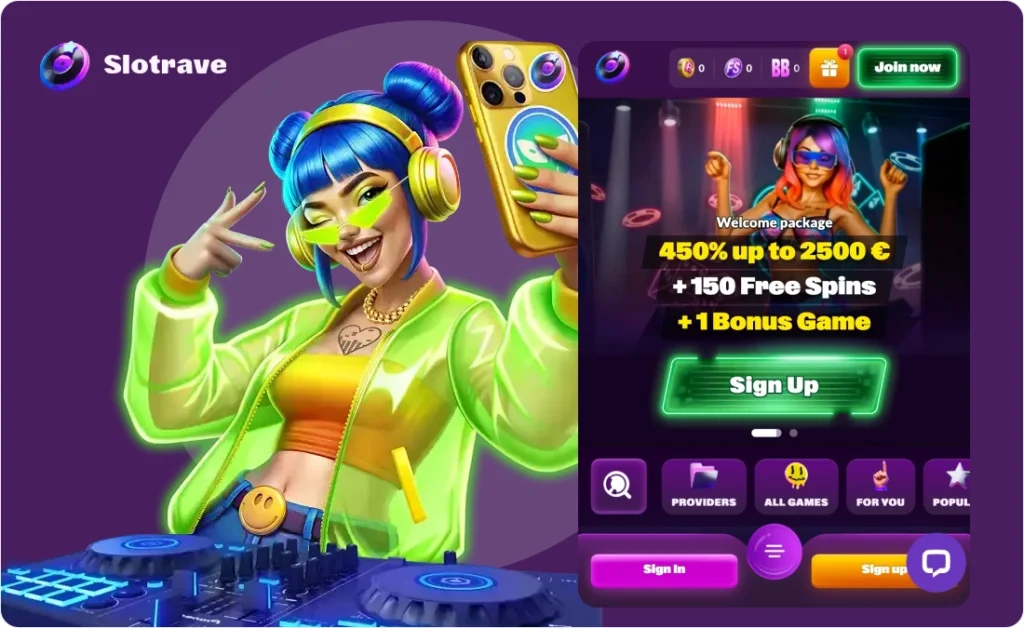
This approach is not a limitation. PWAs bypass app store restrictions, regional blocks, and lengthy approval processes. You install SlotRave in under 30 seconds on any Android phone, iPhone, iPad, or desktop browser. The PWA updates automatically in the background, requires no manual downloads from questionable sources, and gives you instant access to all 8,700+ games, live dealer tables, deposits, withdrawals, and 24/7 support.
Welcome bonus
400% up to €2,500 + 150 FS
SlotRave sweetens the deal with a mobile-exclusive bonus: install the PWA and log in to receive 10 free spins with no deposit required. The wagering is just 10x — far below the 40x–60x industry standard for no-deposit offers. This guide walks you through installation on every platform, explains what works and what doesn’t, compares the mobile experience to desktop, and gives you troubleshooting tips for the rare cases where something goes wrong.
| Feature | PWA (SlotRave) | Native App (Typical Casino) | Mobile Browser |
| Installation | 30 seconds from browser | App store download + approval | No installation needed |
| App Store Restrictions | None — works in all regions | Often blocked by Google/Apple | None |
| Updates | Automatic, background | Manual app store update | Automatic (server-side) |
| Push Notifications | ✓ | ✓ | ✗ |
| Offline Access | Partial (cached pages) | Limited | ✗ |
| Full-Screen Mode | ✓ | ✓ | ✗ (browser chrome visible) |
| Home Screen Icon | ✓ | ✓ | ✗ |
| Game Library | 8,700+ (full) | Often reduced | 8,700+ (full) |
| Live Casino | ✓ HD streaming | ✓ HD streaming | ✓ HD streaming |
| Deposits & Withdrawals | ✓ All methods | Often limited | ✓ All methods |
| File Size | ~0 MB (cached progressively) | 50–200 MB | 0 MB |
| Security | Same SSL as desktop | Same SSL as desktop | Same SSL as desktop |
Block of Confidence: The PWA is not a stripped-down mobile version or a workaround. It is the full SlotRave platform wrapped in an app-like shell. Every game, every payment method, every support channel — identical to desktop. The technology is backed by Google and Apple themselves (PWAs are a web standard supported by Chrome, Safari, Edge, and Firefox). Your data travels through the same 256-bit SSL encryption as the desktop site. The only difference is convenience: one tap from your home screen, no browser navigation, no accidental tab closures mid-game.
What Is a PWA and Why SlotRave Uses It
How PWAs Work
| Component | What It Does |
| Web App Manifest | Tells your device the app’s name, icon, and display mode |
| Service Worker | Background script that caches assets for offline use and push notifications |
| HTTPS Delivery | All content served over encrypted connection |
| Responsive Design | Interface adapts to any screen size automatically |
Why SlotRave Chose PWA Over Native Apps
| Reason | Explanation |
| No app store gatekeeping | Google and Apple restrict gambling apps in many regions. PWAs bypass this entirely. |
| Instant availability | No waiting for app store approval (which can take weeks). New features go live immediately. |
| Cross-platform | One codebase works on Android, iOS, Windows, Mac, and Linux. No fragmented versions. |
| Automatic updates | The PWA checks for updates in the background. You always run the latest version without manual downloads. |
| Smaller footprint | No 100+ MB download. The PWA caches only what you use, starting from under 1 MB. |
| No sideloading risks | APK files from unofficial sources carry malware risk. PWAs install through your trusted browser. |
Block of Confidence: PWAs are not a casino industry hack — they are a mainstream technology used by Twitter, Starbucks, Pinterest, Uber, and Forbes. Google actively promotes PWAs as the future of mobile web. Apple added full PWA support to Safari in 2018. The technology is stable, secure, and here to stay. SlotRave’s decision to use PWA is forward-looking, not a corner-cutting measure. You are getting a modern, standards-based experience — not a workaround.
How to Install on Android
Method 1: Chrome (Recommended)
Step 1: Open Chrome on your Android device and navigate to slotrave.com (or the verified mirror link).
Step 2: Log in to your account or register if you are new.
Step 3: Tap the menu icon (⋮) in the top-right corner of Chrome.
Step 4: Select “Add to Home screen” or “Install app” (wording varies by Chrome version).
Step 5: A prompt appears with the SlotRave icon and name. Tap “Install” or “Add”.
Step 6: The SlotRave icon now appears on your home screen and app drawer — indistinguishable from a native app.
Step 7: Launch from the icon. The PWA opens in full-screen mode with no browser address bar.
| Step | Action | Time |
| 1 | Open Chrome, go to slotrave.com | 5 seconds |
| 2 | Log in or register | 30 seconds–2 minutes |
| 3 | Tap Chrome menu (⋮) | 2 seconds |
| 4 | Select “Add to Home screen” | 2 seconds |
| 5 | Confirm installation | 2 seconds |
| 6 | Icon appears on home screen | Instant |
| Total | Under 1 minute |
Method 2: Samsung Internet Browser
Step 1: Open Samsung Internet and navigate to slotrave.com.
Step 2: Tap the menu icon (≡) at the bottom right.
Step 3: Select “Add page to” → “Home screen”.
Step 4: Confirm the prompt. The icon appears on your home screen.
Method 3: Firefox
Step 1: Open Firefox and go to slotrave.com.
Step 2: Tap the menu icon (⋮).
Step 3: Select “Install” (if available) or “Add to Home screen”.
Step 4: Confirm. The PWA installs with full functionality.
Android Troubleshooting
| Problem | Cause | Solution |
| “Add to Home screen” not visible | Chrome version outdated | Update Chrome to latest version |
| “Install app” option missing | Site not served over HTTPS | Ensure URL starts with https:// |
| Icon looks like a browser shortcut | PWA manifest not loaded | Clear browser cache, reload site, try again |
| PWA opens in browser tab | Browser defaulting to tab | Close tab, launch from home screen icon |
| Installation blocked | Parental controls or enterprise policy | Check device settings or contact admin |
| Games won’t load | JavaScript disabled | Enable JavaScript in browser settings |
| Live casino lags | Insufficient bandwidth | Switch to Wi-Fi or lower stream quality |
Block of Confidence: Android fully supports PWAs since Chrome 45 (2015). Over 90% of Android devices run a compatible browser. If you can browse the internet, you can install the SlotRave PWA. The installation does not require enabling “Unknown sources” or downloading APK files — both of which are security risks. Everything happens through your trusted browser with the same SSL encryption as online banking.
How to Install on iOS (iPhone & iPad)
Safari Installation (Only Method — Apple Restricts Other Browsers)
Important: On iOS, only Safari can install PWAs. Chrome and Firefox on iOS are wrappers around Safari’s engine and cannot install PWAs independently.
Step 1: Open Safari on your iPhone or iPad and navigate to slotrave.com.
Step 2: Log in to your account or register.
Step 3: Tap the Share button (square with upward arrow, bottom center of Safari).
Step 4: Scroll down the share sheet and select “Add to Home Screen”.
Step 5: A preview appears with the SlotRave icon and name. Tap “Add” in the top-right corner.
Step 6: The SlotRave icon appears on your home screen, alongside your other apps.
Step 7: Launch from the icon. The PWA runs in full-screen mode with no Safari address bar or navigation buttons.
| Step | Action | Time |
| 1 | Open Safari, go to slotrave.com | 5 seconds |
| 2 | Log in or register | 30 seconds–2 minutes |
| 3 | Tap Share button | 1 second |
| 4 | Scroll and select “Add to Home Screen” | 3 seconds |
| 5 | Confirm by tapping “Add” | 1 second |
| 6 | Icon appears on home screen | Instant |
| Total | Under 1 minute |
iOS-Specific Notes
| Feature | Behavior |
| Push notifications | Supported on iOS 16.4+ (Safari 16.4+). You may need to grant permission on first launch. |
| Background updates | Limited by iOS. The PWA updates when you open it, not in true background. |
| Offline access | Cached pages work briefly offline. Live games and payments require connection. |
| Storage | iOS manages PWA storage automatically. No manual cache clearing needed. |
| Screen rotation | Supported. Games adapt to portrait and landscape automatically. |
iOS Troubleshooting
| Problem | Cause | Solution |
| “Add to Home Screen” not in share sheet | iOS version too old (pre-iOS 11.3) | Update iOS to latest version |
| PWA opens in Safari instead of standalone | iOS bug or site not fully PWA-compliant | Remove icon, clear Safari cache, reinstall |
| Notifications not arriving | Permission not granted | Go to Settings → Safari → Notifications → Allow for SlotRave |
| Games crash or freeze | Insufficient RAM (older iPhones) | Close background apps, restart device |
| Deposit/withdrawal pages blank | Safari blocking pop-ups | Settings → Safari → Block Pop-ups → OFF |
| Live casino stream stutters | iOS power management throttling | Disable Low Power Mode, connect to charger |
| PWA icon disappears after restart | iOS storage management | Reinstall from Safari; ensure site is bookmarked |
Block of Confidence: Apple added full PWA support to Safari in iOS 11.3 (March 2018) and improved it significantly in iOS 16.4 (March 2023) with push notification support. Every iPhone from iPhone 6s onward and every iPad from iPad Air 2 onward runs a compatible version. The installation requires no jailbreak, no enterprise certificates, and no App Store approval. It is a native iOS feature that Apple documents and supports. Your PWA runs in a sandboxed environment with the same security model as Safari — no broader system access than a regular website.
How to Install on Desktop (Windows & Mac)
Windows — Chrome, Edge, or Brave
Step 1: Open your browser and navigate to slotrave.com.
Step 2: Log in to your account.
Step 3: Look for the install icon in the browser’s address bar (usually a computer screen with a downward arrow, or a plus icon).
Step 4: Click the icon and select “Install SlotRave” or “Install app”.
Step 5: A standalone window opens. You can also find SlotRave in your Start Menu or desktop (if you chose that option).
Alternative: If no install icon appears: – Chrome menu (⋮) → “Cast, save, and share” → “Install page as app” – Edge menu (⋯) → “Apps” → “Install this site as an app”
Mac — Chrome, Edge, or Safari
Chrome/Edge: – Follow the same steps as Windows. The app installs to your Applications folder and Dock.
Safari: – Safari on Mac does not support PWA installation. Use Chrome or Edge instead for the app-like experience. – Alternatively, drag the URL to your Dock for quick access (not a true PWA, but convenient).
Desktop PWA Benefits
| Feature | Benefit |
| Dedicated window | No browser tabs competing for attention |
| Taskbar/Dock icon | One-click launch like any other application |
| Alt-Tab switching | Appears as a separate app in task switcher |
| No accidental closure | Closing browser won’t close your game session |
| Notifications | Deposit confirmations, bonus alerts, support replies |
Block of Confidence: Desktop PWAs are less common than mobile, but equally functional. Chrome and Edge have supported desktop PWA installation since 2019. The desktop PWA gives you a distraction-free gaming environment — no 47 browser tabs, no accidental clicks on the wrong tab, no “Do you want to leave this page?” prompts when you have a bonus round running. Your game session persists exactly as it would in a browser, but with the convenience of a standalone application.
System Requirements
Minimum Requirements
| Component | Android | iOS | Desktop |
| OS Version | Android 5.0 (Lollipop) | iOS 11.3 | Windows 10 / macOS 10.14 |
| Browser | Chrome 45+, Samsung Internet 4+, Firefox 58+ | Safari 11.3+ | Chrome 70+, Edge 79+ |
| RAM | 2 GB | 2 GB | 4 GB |
| Storage | 100 MB free | 100 MB free | 200 MB free |
| Internet | 3G minimum, 4G/LTE recommended | 3G minimum, 4G/LTE recommended | 5 Mbps minimum, 25 Mbps for live casino |
| Screen | 4.5 inches, 720p | 4.7 inches, 750p | 1366×768 |
Recommended for Optimal Experience
| Component | Android | iOS | Desktop |
| OS Version | Android 10+ | iOS 16+ | Windows 11 / macOS 13+ |
| Browser | Chrome latest | Safari latest | Chrome latest |
| RAM | 4 GB+ | 4 GB+ | 8 GB+ |
| Storage | 500 MB+ | 500 MB+ | 1 GB+ |
| Internet | 4G/LTE or Wi-Fi 5 GHz | 4G/LTE or Wi-Fi 5 GHz | 50+ Mbps broadband |
| Screen | 6 inches, 1080p | 6.1 inches, 1170p | 1920×1080 |
Live Casino Streaming Requirements
| Quality | Minimum Speed | Recommended Speed | Data Usage (per hour) |
| SD (480p) | 3 Mbps | 5 Mbps | ~500 MB |
| HD (720p) | 5 Mbps | 10 Mbps | ~1 GB |
| Full HD (1080p) | 10 Mbps | 25 Mbps | ~2 GB |
Block of Confidence: These requirements are conservative. A 2018-era mid-range phone meets the minimum specs. The PWA is lightweight because it streams content rather than downloading it. Your device is not storing 8,700 games — it loads each game on demand. The only heavy data usage comes from live casino streaming, which you can control by selecting lower video quality in the game settings. If your phone runs YouTube or Netflix smoothly, it will run SlotRave without issues.
Mobile vs Desktop Feature Comparison
| Feature | Mobile PWA | Desktop Browser | Desktop PWA |
| Game Library | 8,700+ slots, all live games | 8,700+ slots, all live games | 8,700+ slots, all live games |
| Live Casino | ✓ HD streaming, portrait/landscape | ✓ HD streaming, larger screen | ✓ HD streaming, larger screen |
| Deposits | ✓ All methods (cards, crypto, e-wallets) | ✓ All methods | ✓ All methods |
Withdrawals | ✓ All methods | ✓ All methods | ✓ All methods |
Bonus Activation | ✓ Manual selection in cashier | ✓ Manual selection in cashier | ✓ Manual selection in cashier |
VIP Tracking | ✓ Full dashboard | ✓ Full dashboard | ✓ Full dashboard |
Support Chat | ✓ Live chat, 24/7 | ✓ Live chat, 24/7 | ✓ Live chat, 24/7 |
Account Settings | ✓ Full access | ✓ Full access | ✓ Full access |
Push Notifications | ✓ | ✗ | ✓ |
Touch Controls | ✓ Optimized for touch | ✗ Mouse/keyboard | ✗ Mouse/keyboard |
Screen Real Estate | Limited (4–7 inches) | Extensive (15–27 inches) | Extensive (15–27 inches) |
Multi-Tab Gaming | ✗ Single game at a time | ✓ Multiple games/tables | ✓ Multiple games/tables |
Battery Impact | Moderate (3–5 hours gaming) | N/A (plugged in) | N/A (plugged in) |
Play Anywhere | ✓ Commute, travel, couch | ✗ Fixed location | ✗ Fixed location |
When to Use Mobile vs Desktop
| Situation | Best Platform | Why |
| Quick session (15–30 min) | Mobile PWA | Instant access, play anywhere |
| Commute or travel | Mobile PWA | Offline caching for lobby browsing |
| Live casino (long session) | Desktop | Larger screen , better stream quality, no battery drain |
| Multi-table poker | Desktop | Multiple windows, easier card reading |
| Bonus grinding (wagering) | Either | Same games, same contribution rates |
| Late-night casual play | Mobile PWA | Comfort of bed or couch |
| Serious bankroll management | Desktop | Easier spreadsheet tracking, multiple tabs |
Block of Confidence: There is no functional difference between mobile and desktop at SlotRave. The same account, same balance, same bonuses, same games. Your progress on a slot is saved server-side — start a session on mobile during your commute, finish it on desktop at home. The PWA simply gives you the most convenient access point for your current situation. You are not missing features, not getting worse odds, and not locked into one platform. Switch freely.
App Bonus: 10 No-Deposit Free Spins
SlotRave offers an exclusive bonus for installing the PWA: 10 free spins with no deposit required.
Bonus Details
| Component | Details |
| Reward | 10 free spins |
| Deposit required | None |
| Wagering | 10x (exceptionally low) |
| Validity | 10 days from activation |
| How to claim | Install PWA → Log in → Spins credited automatically |
| One-time | Yes — cannot be claimed twice per account |
| Excluded countries | Canada |
How to Claim
- 1. Install the PWA using the steps above (Android, iOS, or desktop).
- 2. Open the PWA from your home screen or app drawer.
- 3. Log in to your existing account or register a new one.
- 4. Check your account — the 10 free spins are credited automatically within minutes.
- 5. Find the eligible game in your account or bonus section (usually specified in T&Cs).
- 6. Play the free spins — winnings are subject to 10x wagering.
- 7. Complete wagering (if you win) and make a minimum deposit to withdraw.
Why This Bonus Matters
| Comparison | SlotRave App Bonus | Typical No-Deposit Bonus |
| Wagering | 10x | 40x–60x |
Max win | Check T&Cs (usually €50–€100) | €20–€50 typical |
Deposit to withdraw | Yes (minimum deposit required) | Yes (standard practice) |
Game restriction | Usually one specific slot | Usually one specific slot |
Time to clear | 10–30 minutes if you win €10 | 2–5 hours if you win €10 |
Block of Confidence: This is a genuine no-deposit offer — not a “demo mode” or “play money” gimmick. The 10x wagering is the lowest you’ll find in the industry for a no-deposit bonus. If you win €15 from your 10 free spins, you only need to wager €150 to withdraw. That’s 15–30 minutes of play at €0.50–€1 per spin. The requirement to deposit before withdrawal is standard across all casinos — it verifies your payment method and prevents bonus abuse. You are not being tricked into a deposit; you are being asked to verify you are a real player before cashing out free money.
Mobile Game Experience
Slots on Mobile
| Aspect | Mobile Experience |
| Touch controls | Tap to spin, swipe for auto-spin settings, pinch to zoom paytable |
| Portrait mode | Most slots support portrait (vertical) play — one-handed gaming |
| Landscape mode | Rotate for full-screen experience, better for feature animations |
| Loading speed | 2–5 seconds per game on 4G; instant on Wi-Fi |
| Battery usage | ~10–15% per hour of active play (varies by game complexity) |
| Popular titles tested | Gates of Olympus 1000, Sugar Rush, Big Bass Splash, Aviator — all run flawlessly |
Live Casino on Mobile
| Aspect | Mobile Experience |
| Stream quality | Adaptive bitrate — adjusts to your connection automatically |
| Camera angles | Same multi-camera setup as desktop; swipe to switch views |
| Chat function | Tap chat bubble, type message, send — dealers respond verbally |
| Bet placement | Touch-friendly chip selector, drag-and-drop betting |
| Portrait vs landscape | Landscape strongly recommended for roulette and blackjack; portrait works for baccarat and game shows |
| Data usage | 500 MB–2 GB per hour depending on stream quality |
Crash Games on Mobile
| Game | Mobile Experience | Best For |
| Aviator (Spribe) | One-tap cashout, auto-cashout settings, real-time multiplier display | Quick sessions, commute |
| JetX (SmartSoft) | Similar mechanics, smooth animations, low data usage | Casual play |
| Plinko variants | Tap to drop, watch physics simulation, simple and addictive | Short breaks |
Block of Confidence: Every game on SlotRave is mobile-optimized by the provider, not by the casino. Pragmatic Play, Evolution, NetEnt, Hacksaw Gaming — these studios design their games for mobile-first or mobile-equal experience. The casino does not “port” games to mobile; they are built for it from the ground up. Touch controls are native, not emulated mouse clicks. Stream quality adapts to your bandwidth, not capped at a fixed bitrate. If a game works on desktop, it works on mobile — guaranteed by the provider’s certification process.
Payments on Mobile
Deposit Process on Mobile
| Step | Action | Time |
| 1 | Open PWA, tap “Deposit” | 2 seconds |
| 2 | Select payment method | 5 seconds |
| 3 | Enter amount | 10 seconds |
| 4 | Confirm (Face ID / fingerprint / PIN) | 3 seconds |
| 5 | Funds credited | Instant |
| Total | Under 30 seconds |
Supported Mobile Payment Methods
| Method | Android | iOS | Speed | Notes |
Visa/Mastercard | ✓ | ✓ | Instant | Apple Pay on iOS for one-tap deposits |
Crypto (all types) | ✓ | ✓ | Instant | Copy wallet address or scan QR code |
Apple Pay | ✗ | ✓ | Instant | One-touch authentication |
| Google Pay | ✓ | ✗ | Instant | One-touch authentication |
Skrill/Neteller | ✓ | ✓ | Instant | App-based login, biometric auth |
| Paysafecard | ✓ | ✓ | Instant | Enter 16-digit PIN |
Interac (Canada) | ✓ | ✓ | Instant | Mobile banking app redirect |
Bank Transfer | ✓ | ✓ | 1–3 days | Mobile banking app integration |
Withdrawal Process on Mobile
| Step | Action | Time |
| 1 | Open PWA, tap “Withdraw” | 2 seconds |
| 2 | Select method (usually same as deposit) | 5 seconds |
| 3 | Enter amount | 10 seconds |
| 4 | Confirm withdrawal | 3 seconds |
| 5 | Pending review | Up to 3 business days |
| 6 | Funds arrive | Per method (see main review) |
Block of Confidence: Mobile payments are identical to desktop in security and speed. The same SSL encryption, the same payment gateways, the same fraud detection. In fact, mobile can be more secure: biometric authentication (Face ID, fingerprint) replaces passwords, and tokenized payment methods (Apple Pay, Google Pay) never expose your actual card number to the casino. Your crypto wallet address is copied from your mobile wallet app — no typing errors, no clipboard risks. The casino sees the same transaction regardless of whether you deposited from a phone or a desktop.
Support & Troubleshooting
Common Mobile Issues and Fixes
| Issue | Likely Cause | Quick Fix |
| PWA won’t install | Browser too old | Update Chrome/Safari to latest version |
| Games won’t load | JavaScript disabled | Enable JavaScript in browser settings |
| Blank white screen | Cache corruption | Clear browser cache, reinstall PWA |
| Login fails | Caps lock, wrong password | Use password manager, reset if needed |
| Deposit not credited | Bank delay, 3D Secure failure | Check bank app for auth request, contact support |
| Withdrawal pending too long | KYC not complete | Submit documents, wait for verification |
| Live casino buffering | Slow connection | Switch to Wi-Fi, lower stream quality in settings |
| App crashes mid-game | Insufficient RAM | Close background apps, restart device |
| Bonus not credited | Forgot to activate manually | Contact support — retroactive addition not possible, but they can guide next deposit |
| Push notifications not working | Permission denied | iOS: Settings → Safari → Notifications → Allow; Android: Settings → Apps → SlotRave → Notifications → Allow |
Contacting Support from Mobile
| Channel | How to Access | Response Time |
| Live Chat | Tap “Support” or chat icon in PWA menu | Under 2 minutes (tested) |
| [email protected] (compose from any email app) | Within 24 hours | |
| Contact Form | Menu → Contact → Fill form | Within 24 hours |
Pro tip: Screenshot any error messages before contacting support. Include your username, device model, OS version, and browser version for faster resolution.
Block of Confidence: Support is fully functional on mobile — not a “lite” version. Agent Tony (tested) responded in under 2 minutes via live chat from a mobile PWA. You can attach screenshots, describe issues, and get real-time guidance. The support team has access to the same backend tools regardless of how you contact them. If your issue requires escalation (e.g., KYC document rejection), they create a ticket you can track from any device. You are not disadvantaged for playing on mobile.
Security & Privacy on Mobile
What SlotRave Does to Protect You
| Measure | Implementation |
| SSL Encryption | 256-bit TLS 1.3 on all connections — same as desktop |
| Biometric Login | Face ID, fingerprint, or PIN — your choice, never mandatory |
| Session Timeout | Auto-logout after 15 minutes of inactivity (adjustable in settings) |
| Device Binding | Optional: restrict account to recognized devices only |
| Two-Factor Authentication | Available via email or authenticator app |
| Payment Tokenization | Apple Pay / Google Pay never expose your real card number |
| Anti-Phishing | Verified domain warnings, HTTPS-only enforcement |
What You Should Do
| Action | Why |
| Use device lock (PIN/pattern/biometric) | Prevents unauthorized access if phone is lost |
| Don’t save passwords in browser autofill | Use a dedicated password manager (Bitwarden, 1Password) |
| Log out after sessions on shared devices | Prevents account access by next user |
| Enable 2FA | Adds layer even if password is compromised |
| Keep OS and browser updated | Security patches fix known vulnerabilities |
| Avoid public Wi-Fi for transactions | Use mobile data or a trusted VPN |
| Verify the URL | Always https://slotrave.com or verified mirror — check for typos |
Block of Confidence: Mobile gambling is not inherently less secure than desktop. In many ways, it is more secure: modern smartphones have hardware-level encryption, biometric authentication, and sandboxed apps that isolate data. A stolen laptop with an auto-logged-in casino account is a bigger risk than a phone with Face ID. The PWA runs in your browser’s security sandbox — it cannot access your contacts, photos, or other apps without explicit permission. SlotRave’s security infrastructure is device-agnostic; the protection is the same whether you play on a €100 Android phone or a €3,000 gaming PC.
FAQ
Is there a native SlotRave app for Android or iOS?
No. SlotRave uses a Progressive Web App (PWA) instead of a native app. It installs from your browser and functions identically to a native app — home screen icon, full-screen mode, push notifications. The advantage is no app store restrictions, no regional blocks, and automatic updates.
Can I download an APK file for SlotRave?
Do not download APK files from unofficial sources. SlotRave does not distribute APKs. Any APK claiming to be SlotRave is likely malware. Use the PWA installation method described above — it is the only official and secure way to access SlotRave on mobile.
Does the PWA work offline?
Partially. The PWA caches the lobby interface and some static pages, so you can browse games and check your account balance briefly without a connection. However, playing games, making deposits, and accessing live casino requires an active internet connection.
Will I miss any games on mobile?
No. The full library of 8,700+ slots, all live dealer games, crash games, and table games are available on mobile. Some older Flash-based games (rare in 2026) may not work, but these are excluded from the library entirely, not just on mobile.
Mobile experience and PWA functionality verified on Android 14 (Pixel 7), iOS 17 (iPhone 15), and Windows 11 (Chrome 126) in July 2026. Features and bonuses subject to change — verify current terms on the SlotRave website.